The 89db App at a Glance
One app does it all — deposit with bKash in under 3 minutes, place a bet on the next T20 match, and spin slots from Pragmatic Play and PG Soft, all from your Android phone or iPhone home screen.
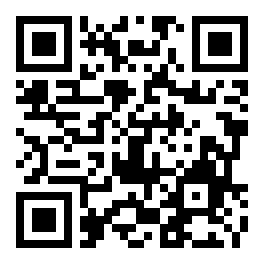 Scan to download on Android
-
Loads fast on slow connections
The 89db app is built for Bangladeshi mobile networks — it stays responsive even on 3G and uses less data than a standard browser session.
-
Push alerts for bonuses
Get notified when a reload bonus lands or your withdrawal is approved — without having to keep a browser tab open.
-
Fingerprint & PIN login
Log in with your fingerprint or a 6-digit PIN. No need to type your password every time — your session is encrypted end-to-end.
-
bKash, Nagad, Rocket, Upay built in
All four Bangladeshi wallets are natively integrated. Deposit from ৳200 — funds hit your account in about 3 minutes.
Six Things the App Does Well
These are the main reasons players prefer the 89db app over opening a browser each time.
Cricket & Sports Betting
Bet on Bangladesh Premier League, IPL, T20 World Cup, and domestic football — all inside the app. Live odds update in real time, and you can bet with ৳10 minimum. The match schedule is pinned on the home tab so you never miss a game.
Slots from Top Studios
Play titles from Pragmatic Play, PG Soft, Habanero, KA Gaming, CQ9, and Spribe — all loaded natively. The app pre-caches game assets, so spinning starts faster than in a browser. Filter by RTP, jackpot, or provider to find your game quickly.
Live Casino Tables
HD live-dealer streams for Baccarat, Roulette, Dragon Tiger, and Teen Patti. The app handles the video buffering efficiently so the stream holds steady even on a mid-range phone. Chat with dealers during the session through the in-app panel.
Crash & Instant Games
Aviator, Mines, Plinko, and other Spribe crash games load in one tap. The app displays your round history and profit curve in a sidebar — useful when you want to track patterns before placing your next bet. Minimum bet is ৳1.
Deposit & Withdraw in the App
Switch to the Wallet tab, pick bKash, Nagad, Rocket, or Upay, and enter the amount. Deposits from ৳200 land in roughly 3 minutes. Withdrawals from ৳1,200 process in about 10 minutes. All transaction history is viewable in the app.
Bonuses & VIP Progress
Your welcome bonus, reload offers, and daily cashback are shown on the Promotions tab with a live wagering counter. VIP tier progress is updated in real time — you can see exactly how much more turnover you need to reach the next level.
System Requirements & Version Details
Check this table before downloading. The APK is built for Android — iOS users use the mobile website added to their home screen (see the iOS section below).
| Field | Detail | Notes |
|---|---|---|
| App Version | 3.4.5 | Current stable release |
| File Name | 89db.apk | Single APK, no OBB needed |
| File Size | 32 MB | Fast to download even on mobile data |
| Minimum Android | Android 7.0 (Nougat) | Works on most phones from 2016 onward |
| Last Updated | 10 Nov 2026 | Check this page for newer versions |
| Price | Free | No in-app purchase required to play |
| Languages | English, Bangla | Switch in Settings → Language |
| iOS Support | PWA (Add to Home Screen) | No App Store listing — use Safari on iPhone |
Safety & What the App Accesses
The 89db app only requests permissions it genuinely needs. Here is what it asks for and why — so you can install with confidence.
SSL Encryption on Every Request
All data between your phone and 89db servers travels over TLS 1.3. This includes your login, wallet transactions, and bet history. The app refuses to connect on unsecured networks — if you are on a sketchy public Wi-Fi, it will warn you before you log in.
Device Permissions Used
The app requests camera access only when you upload a KYC document, storage access to save the APK update, and notification permission for bonus alerts. It does not access your contacts, SMS, or location. You can revoke individual permissions in Android Settings at any time.
Account Security Features
Enable two-factor authentication (2FA) from the Security tab in your profile. Each login from a new device triggers a verification code sent to your registered mobile number. Session tokens expire automatically after 30 minutes of inactivity to protect your account.
Official APK Source
Only download 89db.apk from this page (https://89db.mobi/89db-app/). Third-party APK mirror sites may bundle modified files. The official file size is exactly 32 MB — if a download gives you a different size, delete it and try again from here directly.
Android Installation: Step by Step
Because 89db.apk is not from the Google Play Store, Android requires one extra permission step. Follow these five steps exactly and you will be logged in within a few minutes.
Allow Installation from Unknown Sources
Open your phone's Settings → Apps → Special App Access → Install Unknown Apps. Select your browser (Chrome or the 89db.mobi site). Toggle "Allow from this source" to ON. This setting is per-app — you are only unlocking it for this one browser, not for all apps on your phone.
Download the APK File
Tap the Download APK button on this page. Your browser will save 89db.apk (32 MB) to your Downloads folder. Wait for the full download to complete — a partial file will fail to install. You can check progress in your browser's download notification.
Open & Run the APK
Once the download finishes, tap Open in the browser notification, or find the file in your Files app under Downloads. Android will display an installation screen showing the app name and permissions. Tap Install to proceed. The process takes about 10–15 seconds.
Launch the 89db App
After installation completes, tap Open in the confirmation screen, or find the 89db icon on your home screen. The app will load its latest game catalogue on first launch (a small data sync of a few MB). Make sure you have a working mobile or Wi-Fi connection for this first sync.
Log In or Register Your Account
If you already have an account, tap Log In and enter your credentials. New players tap Register — it takes under two minutes. After logging in, go to the Wallet tab to link your bKash or Nagad number and make your first deposit from ৳200. See the Register page for step-by-step signup help.
Re-enable Play Protect after installation. Some Android versions may show a Play Protect warning when installing APKs from outside the Play Store. This is a standard system alert — not specific to 89db. After installing, you can re-enable Play Protect in the Google Play Settings menu.
iPhone Users: Add the App to Your Home Screen
Apple does not allow APK files, but you can pin the 89db mobile site to your iPhone home screen. It opens full-screen, without the browser bar — just like a native app.
- 1 Open Safari on your iPhone and go to 89db.mobi. The site detects iOS and loads the mobile-optimised layout automatically. Chrome on iOS does not support "Add to Home Screen" in the same way, so Safari is required for this step.
- 2 Tap the Share button — the box-with-arrow icon at the bottom of the Safari toolbar. Scroll down in the share sheet until you see Add to Home Screen, then tap it.
- 3 Name the shortcut 89db and tap Add in the top-right corner. The 89db icon will now appear on your home screen. Tap it to open the site in full-screen mode with no Safari navigation bar.
- 4 Log in with your existing account or tap Register to create a new one. All features — deposits, game lobby, live casino, and withdrawals — work identically to the Android app. Requires iOS 14.5 or later.
No App Store download needed
The progressive web app runs entirely through Safari. There is no file to download or permission to grant — just pin and play.
Updates automatically
Unlike the Android APK, the iOS version updates itself whenever you open it on a data connection. You always have the latest game list and bonus offers without any manual steps.
Offline notice for interrupted sessions
If your connection drops mid-game, the app displays a reconnect prompt rather than a blank screen. Your active bet is held safely until the session reconnects.
Games Available in the 89db App
The app gives you access to the full 89db game catalogue. Here are some popular titles you will find on the home tab the moment you log in. Swipe left to see more.

Golden Land
KA Gaming · RTP 95.9%
Slots
Super Fruit Machine
Spribe · RTP 97.7%
Slots
Hi-Lo
CQ9 · RTP 97.3%
Slots
Cat Fishing
CQ9 · RTP 95.3%
Fishing
Jackpot Fishing
PG Soft · RTP 97.7%
Slots
Fortune Mouse
KA Gaming · RTP 97.3%
Slots
Dragon Hatch
CQ9 · RTP 95.6%
Slots
Ganesh Gold
Pragmatic Play · RTP 95.8%
SlotsThese are just a sample. The full lobby has over 5,600 titles across slots, fishing, live casino, crash, and sports. Visit the Casino page for the complete list.
App vs Browser: Which One Suits You?
Both options give you full access to 89db. The table below shows the practical differences so you can decide what works best for your phone and habits.
| Feature | 89db App (Android APK) | Mobile Browser |
|---|---|---|
| Loading speed | Faster — assets cached locally | Reloads on every visit |
| Push notifications | Bonus & withdrawal alerts | Not available |
| Fingerprint / PIN login | Supported | Password only |
| Works on Android 7.0+ | Yes | Yes |
| Works on iPhone / iOS | APK not supported | Use Safari + Add to Home Screen |
| Data usage | Lower — smart caching | Higher on first load |
| Live casino streaming | Optimised HD stream | HD stream (more battery use) |
| Deposit & withdrawal | All 4 wallets supported | All 4 wallets supported |
| Auto-update | Manual APK download for major updates | Always latest version |
| Installation required | One-time APK install | No install needed |
Download the 89db App Now
Tap the button below to save the official APK to your Android device. File details are listed in the box — confirm the size matches after downloading.
89db.apk
Version 3.4.5 · 32 MB · Android 7.0+ · Free · Updated 10 Nov 2026
Direct download from 89db.mobi — no third-party mirror, no hidden files.
Installation Problems: Quick Fixes
Most install errors have a simple cause. Find your problem in the table below and follow the fix — if none of these work, contact 24/7 live chat support from inside the browser version.
| Problem | Likely Cause | How to Fix |
|---|---|---|
| "App not installed" error | An older version of the app is still on your device, or the APK file is corrupted from an incomplete download. | Go to Settings → Apps, uninstall the existing 89db app, then delete the old APK from your Downloads folder. Download a fresh copy from this page and install again. |
| "Blocked by Play Protect" | Google Play Protect scans APKs from outside the Play Store. This is a standard warning triggered by any sideloaded app, not specific to 89db. | Tap "Install anyway" on the Play Protect screen. The APK is clean — only download from 89db.mobi/89db-app/. After installing, re-enable Play Protect in Play Store → Settings. |
| App installs but won't open | Your Android version may be below 7.0, or available RAM is too low to launch the app (less than 1 GB free). | Check Settings → About Phone for your Android version. Close background apps to free RAM, then try again. If your Android is below 7.0, use the mobile website in Chrome instead. |
| White or blank screen after launch | The app needs a network connection on first launch to download game assets. Offline launch is not supported on the initial run. | Connect to mobile data or Wi-Fi, then force-close and reopen the app. If the blank screen persists, clear the app cache in Settings → Apps → 89db → Storage → Clear Cache. |
| "Parse error" during install | The APK file did not download completely — this usually happens when mobile data cuts out mid-download. | Delete the partial file from your Downloads folder. Switch to Wi-Fi or a stable data connection, then download 89db.apk again from scratch. Confirm the file is exactly 32 MB before installing. |
Install the 89db App in Five Minutes
From download to your first spin — here is exactly what to do, step by step.
-
Open the Download Page
Visit 89db.mobi/89db-app/ in your Android browser, or scan the QR code on this page. No app store needed — the APK downloads directly.
-
Allow Unknown Sources
Go to Settings → Security and enable "Install from Unknown Sources" (or "Allow this source" when prompted). This is a one-time step for APK installs.
-
Install the APK File
Tap the downloaded 89db.apk file in your notifications or file manager and hit Install. The app is 32 MB and installs in under a minute on most devices.
-
Register or Log In
Open the app, tap Sign Up if you are new, or Log In with your existing account. Set up your fingerprint or PIN for faster access next time.
-
Deposit & Start Playing
Add funds from ৳200 via bKash, Nagad, Rocket, or Upay — money lands in your account in about 3 minutes. Pick a game and play.
Frequently Asked Questions
Quick answers to the questions players ask most often about the 89db app download, installation, and use.
Topics
Is the 89db APK safe to install?
Yes, as long as you download from this page (89db.mobi/89db-app/). The official APK is 32 MB and scanned before each release. It does not contain adware, spyware, or tracking outside of standard session analytics. All network traffic from the app runs over TLS 1.3 encryption. Avoid third-party APK mirror sites — they may distribute modified versions we have no control over. If your antivirus flags the file, it is a false positive caused by the sideload method, not the app itself.
My installation failed — what should I do first?
Start by checking two things: first, confirm that "Install unknown apps" is enabled for your browser in Android Settings → Apps → Special App Access. Second, verify the downloaded file is exactly 32 MB — a smaller file means the download was cut short. Delete the partial file, reconnect to a stable network, and download again. If you see a "Parse error", the file is definitely incomplete. Still stuck? Open 89db.mobi in Chrome and use the browser version while you troubleshoot.
How do I update the 89db app to the latest version?
The app will show an in-app update banner when a new version is available. Tap the banner, which takes you back to this page, then download the new APK. Install it over the existing app — your account, game history, and wallet data are stored server-side, so nothing is lost during the update. The current version is 3.4.5, last updated 10 Nov 2026. You do not need to uninstall the old version first; installing on top of it is enough.
Can iPhone users get the 89db app?
Apple does not allow APK files on iOS, so there is no App Store version. However, iPhone users can get a near-identical experience by opening 89db.mobi in Safari and tapping Share → Add to Home Screen. The site installs as a progressive web app — it opens full-screen without the Safari toolbar, supports bKash and Nagad deposits, and loads the full game lobby. This works on iOS 14.5 and later. All account functions, including withdrawals and live chat, work the same way.
Do I need a separate account for the app?
No. The 89db app and the website share the same account system. If you already have an account, just tap Log In when you open the app and use the same username and password. Your balance, bonus progress, VIP tier, and transaction history are all synced in real time. If you are new, you can register directly inside the app — it uses the same sign-up form as the website. See the Register page for details on what information you need.
Can I deposit using bKash or Nagad inside the app?
Yes. All four Bangladeshi mobile wallets — bKash, Nagad, Rocket, and Upay — are built into the app's Wallet tab. The minimum deposit is ৳200 and funds typically arrive in about 3 minutes. The process is: tap Wallet → Deposit → choose your method → enter the amount → confirm the transfer from your wallet app. You do not need to leave the 89db app during the process. For a full walkthrough, visit the Deposit Guide.
My Android is older — will the app still work?
The 89db app requires Android 7.0 (Nougat) or higher. Most smartphones sold in Bangladesh from 2016 onward meet this requirement. To check your version, go to Settings → About Phone → Android Version. If your phone runs Android 6 or earlier, the APK will not install. In that case, open 89db.mobi in Chrome or Firefox instead — the mobile website works on Android 5.0+ and gives you access to all the same games, payments, and bonuses without any installation.